Adkins Inline / Compact / Pro - Pulls media through too fast in 'Link' mode
The feed speed on your machine should be set to match the speed of the printer. This is demonstrated in the videos below:
Compact 600 / 900
Inline 800
In Link mode you may find that the feeding speed increases slightly as it is no longer waiting for the printer; however if you find that the speed is dramatically increased when the machine is put into Link mode, the article below may help to resolve this problem.
Inline 800 and Compact 600/900 machines using firmware versions lower than 1886
The speed that your Inline / Compact should move the media through the tunnel is controlled by the Feed Speed setting in the Setting menu. As detailed on installation, this should be set to match your print speed.
Activate 'Link' mode at the correct time.
Link mode should be activated after the media has been cut from the printer and is no longer in front of the front film-in sensor. Leave the machine in 'Auto' mode for as long as possible; when it will no longer feed due to the media (shown in green) being above the front film-in sensor , activate 'Link' mode.
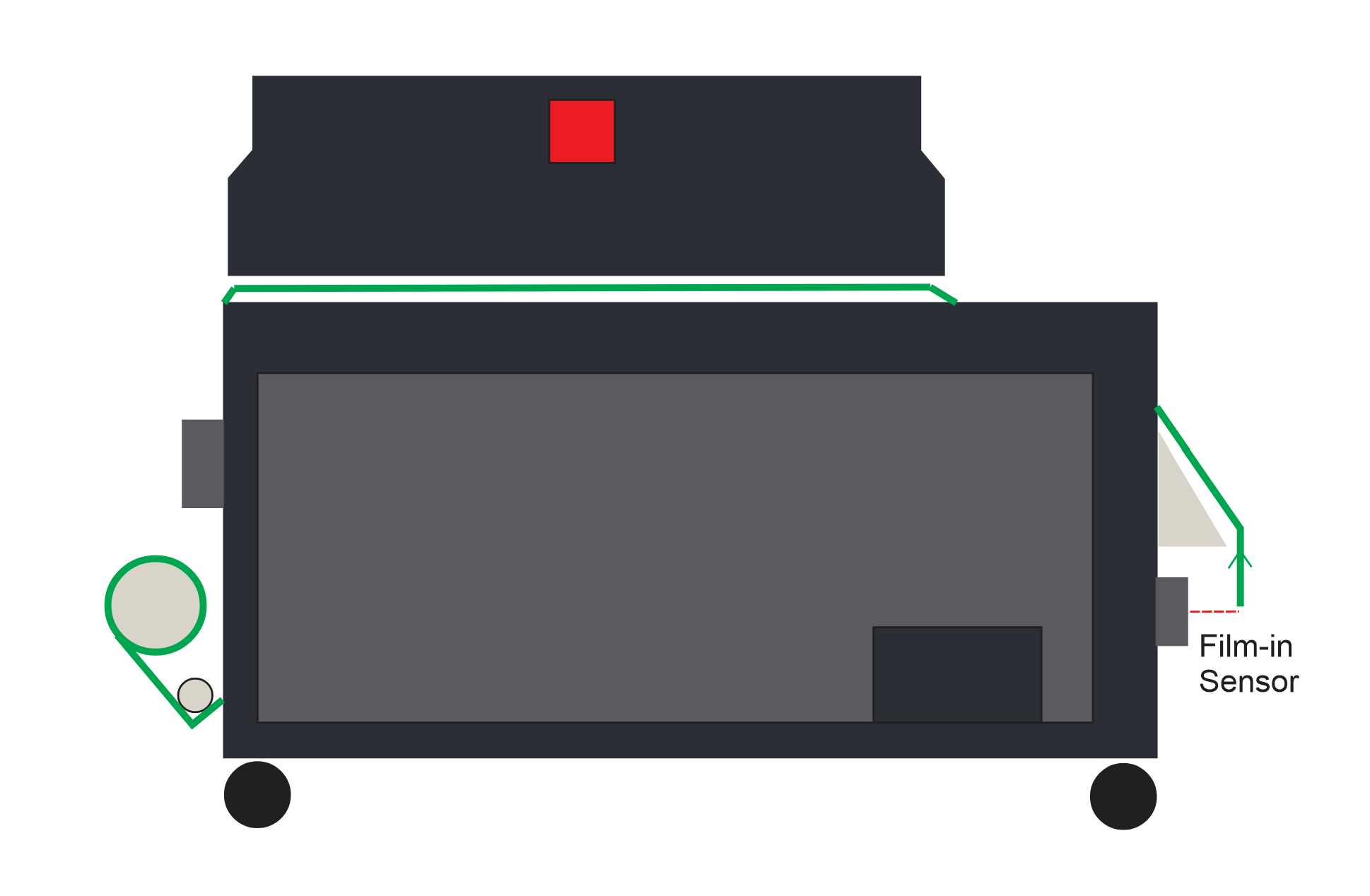
Note: If the machine has been taken out of 'Auto' mode and put into 'Manual' mode, the machine should be turned off and turned on again to reactivate the sequence.
Compact 600 / 900 and 900 Pro machines using firmware version 1886
The feed speed setting should be set to match the printers speed as accurately as possible before the film is webbed up onto the take up unit. For help with this please see the videos above. If the initially set Feed Speed is not accurate, the speed in Link mode may not me accurate.
Once the film is webbed up on to the take up, it is in 'full auto' mode. The machine will now pull the media from the take up until the film is no longer in front of the film in sensor; this may seem like a long, fast pull however this is deliberate and shouldn't affect the prints curing providing there isn't too much film in front of the film in sensor. The feeding will then pause and allow the film to drop below the film in sensor before it pulls again.
This process is repeated for 3-5 metres (approx 20 minutes) of printing before the machine can judge the feed speed of the printer. The machine will then maintain this speed until it is put into Link mode.
When in Link mode the speed is set to the initially set Feed Speed, while it may seem quicker as it isn't waiting for film to drop in front of the sensor, the heating is increased so the curing is not affected.
If you are still having problems with the speed in Link mode after running the machine for the required time in full auto mode, you may wish to update to the latest firmware.
Compact 600 / 900 and 900 Pro machines using firmware versions higher than 1886
The feed speed setting should be set to match the printers speed as accurately as possible before the film is webbed up onto the take up unit. For help with this please see the videos above.
Once the film is webbed up on to the take up, it is in 'full auto' mode. The machine will now pull the media from the take up until the film is no longer in front of the film in sensor; this may seem like a long, fast pull however this is deliberate and shouldn't affect the prints curing providing there isn't too much film in front of the film in sensor. The feeding will then pause and allow the film to drop below the film in sensor before it pulls again.
This process is repeated for 3-5 metres (approx 20 minutes) of printing before the machine can judge the feed speed of the printer. The machine will then maintain this speed until it is put into Link mode.
When in Link mode, the speed is determined by the judged speed. This means that if the machine has not had enough time to accurately judge the feed speed, the speed in Link mode may seem too quick. While it may still seem quicker as it isn't waiting for film to drop in front of the sensor, the heating is increased so the curing is not affected.
If you are still having problems with the speed in Link mode after running the machine for the required time in full auto mode, you should contact your Adkins Dealer.
Was this article helpful?
That’s Great!
Thank you for your feedback
Sorry! We couldn't be helpful
Thank you for your feedback
Feedback sent
We appreciate your effort and will try to fix the article