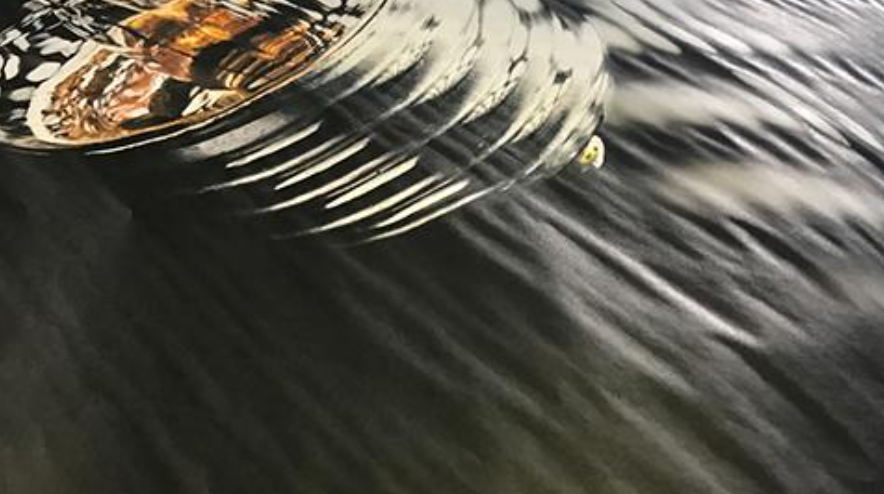
Cockling is a physical distortion of paper that happens when too much ink or moisture is deposited during printing. Instead of lying flat, the paper forms wrinkles, waves, or ripples, usually visible around heavy ink coverage areas.
Why cockling happens
Paper is made of cellulose fibers that absorb water. When a large amount of liquid ink hits the surface:
- The fibers swell unevenly as they absorb the moisture.
- Some areas expand more than others.
- As the paper dries, it shrinks back irregularly, creating bumps or valleys.
How it looks
- Wavy or rippled texture across the sheet
- Localized distortion around dark, saturated graphics
- A slightly “buckled” surface when viewed in raking light
- Reduced flatness, sometimes causing feeding or stacking issues
What causes excess ink
- Very high color saturation (e.g., printing large solid dark areas)
- Incorrect media settings (printer thinks the paper is heavier than it is)
- Using low-quality or thin paper that can’t handle heavy ink loads
- Slow drying conditions (cold, humid environments)
How to prevent cockling
- Use heavier or coated paper designed for high-ink coverage
- Reduce saturation or adjust color profiles
- Select the correct paper type in printer settings
- Increase drying time or airflow between prints
- Raise the print head height
Was this article helpful?
That’s Great!
Thank you for your feedback
Sorry! We couldn't be helpful
Thank you for your feedback
Feedback sent
We appreciate your effort and will try to fix the article