TABLE OF CONTENTS
- 1. Vacuum function not activated
- 2. Too much powder on the film
- 3. Feed speed set too high
- 4. Static causing the film to grip the pre heat apron
- 5. Film has been left against the pre heat apron for some time and become stuck
- 6. Media guides too close to the film
- 7. Low vacuum pressure
- 8. The tension gravity sensor needs recalibrating
If you notice the film is not feeding, yet the suction rollers are turning, this may indicate that the film is slipping over the suction roller rather than being pulled through by the suction roller. This can caused by several problems such as the below.
1. Vacuum function not activated
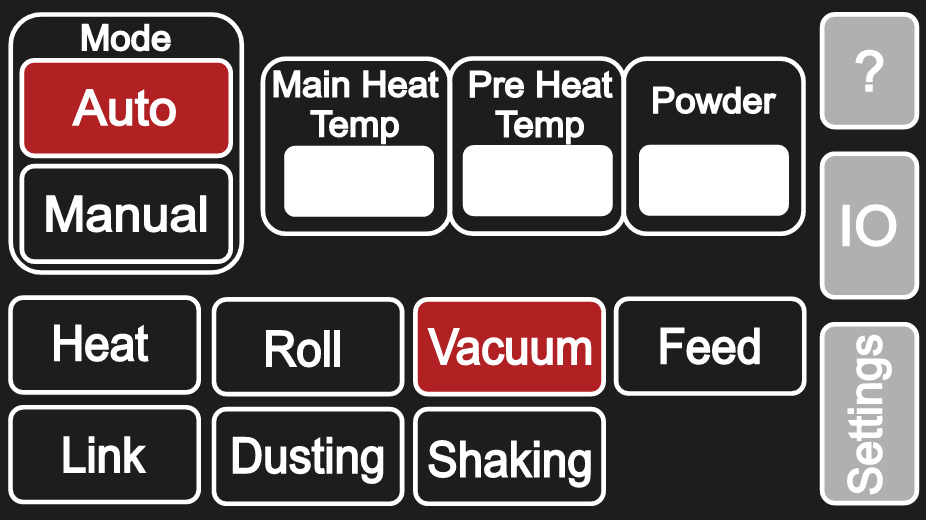
Ensure that the vacuum function is activated, allowing vacuum at the suction rollers so that the film is held in place and pulled through as auto mode is enabled.
2. Too much powder on the film
The recommended amount of powder to use to calibrate the powder weight trough is 0.2kg (200g).
If too much powder is applied, this adds additional weight to the film being pulled through. Depending on the size of the film and the amount of powder, it may become too heavy and therefore slip on the suction roller.
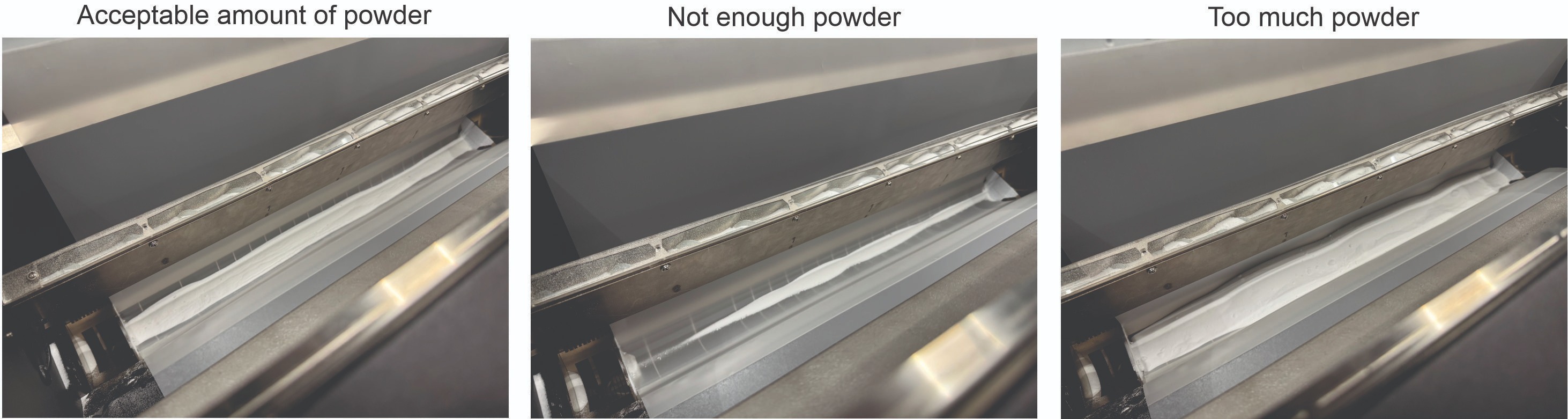
If the machine is in manual mode, you can activate 'Dusting' to drop powder onto the film, if this is activated for too long, too much powder will be on the media. If overfilled you may need to manually remove the powder.
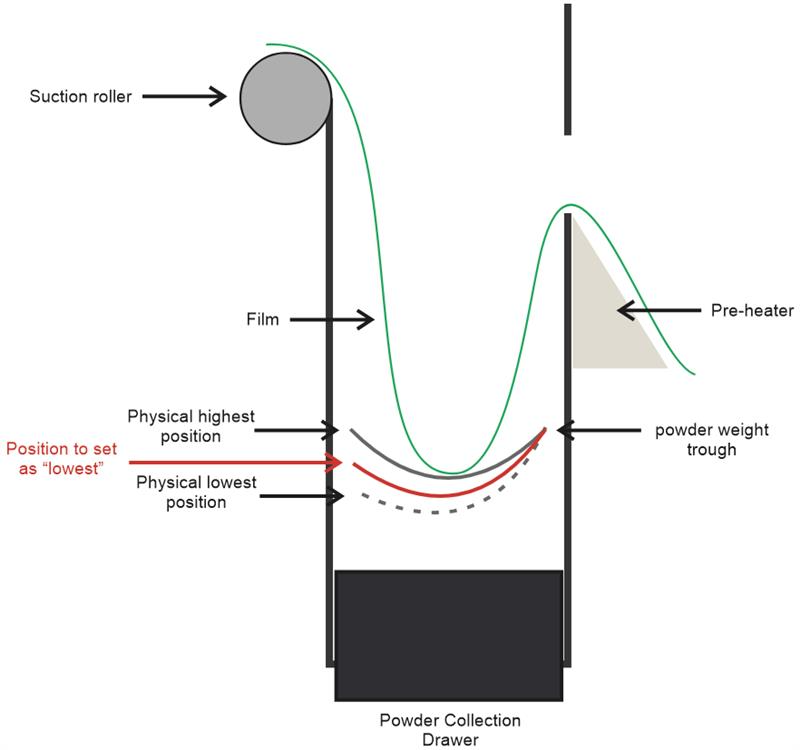
If the machine is in auto mode and too much powder is being laid down, you may need to recalibrate the powder weight sensor. Depending on film and powder, it may be that the lower position of the powder weight trough needs physically setting at approximately 50% of it's travel (see the image below). This will mean the system registers a powder weight of 100% with less powder applied.
You can read how to calibrate in our Adkins Inline / Compact / Pro - Powder Weight Calibration article.
3. Feed speed set too high
If the Feed speed is too high this can also cause the film to slip on the suction roller. Lower the feed speed to a much lower value and test to see if this resolves the problem.
Tip: The feed speed should be to roughly match the print speed.
4. Static causing the film to grip the pre heat apron
Some films can suffer from static electricity causing the film to 'grip' against the pre heat apron. To resolve this, wipe the pre heat apron with an anti-static cloth.
5. Film has been left against the pre heat apron for some time and become stuck
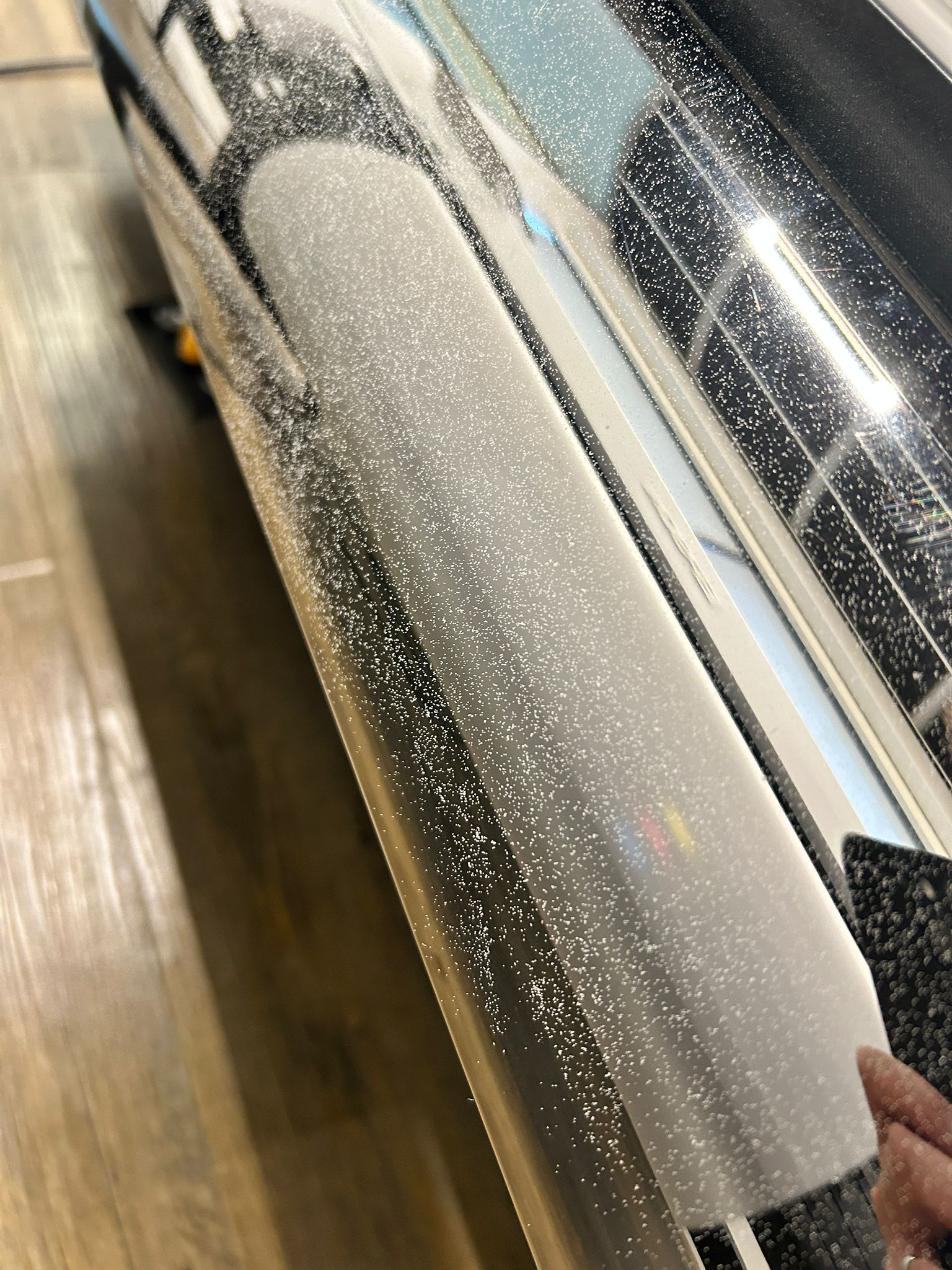
If the film is left in the machine for a period of time (for example if the printer stops printing) it can begin to stick or grip the pre heat apron, either due to the heat effecting the properties of the film or some residual powder on the rear of the film or pre heat apron (image below) beginning to melt and causing a tackiness between the film and pre heat apron.
When this occurs you may need to manually lift the film initially to allow it to move, and/or clean the front apron with a dry lint free cloth.
6. Media guides too close to the film
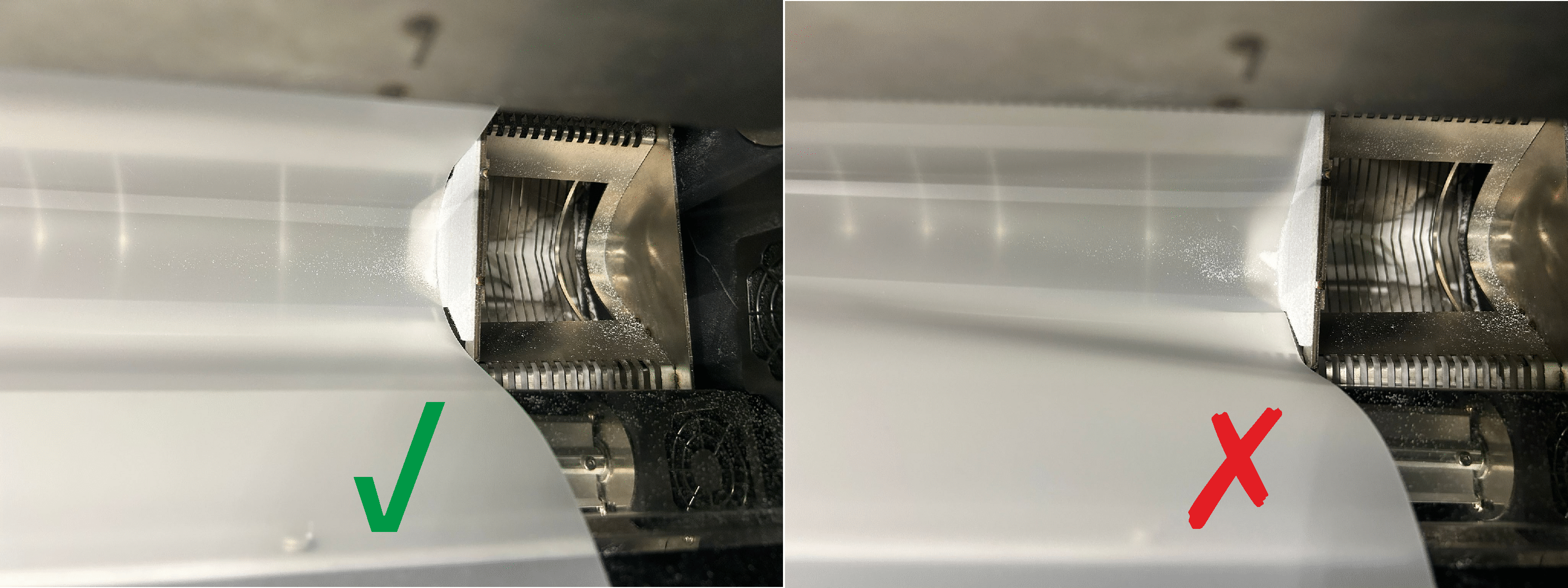
If the media guides are too close to the film at the powder trough, they can grip the film stopping it from moving. In turn the film then slips on the suction roller.
7. Low vacuum pressure
The vacuum to the suction roll is created by a series of fans pulling air into the suction roller. The vacuum could be reduced by any of the following causes.
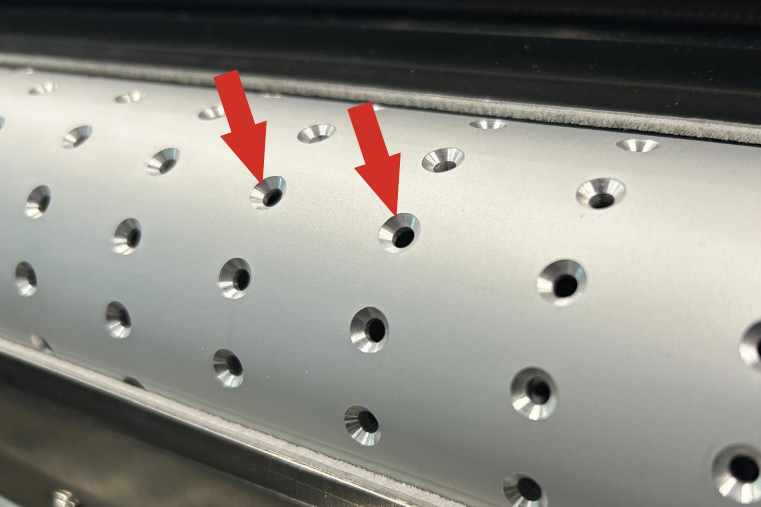
Debris in the suction roller.
Powder, dirt and debris can build up within the holes of the suction roller. Using a vacuum it is recommended to remove any powder dirt or debris as this will allow more air flow and in turn create more vacuum/suction, ensuring the film is pulled through.
Fans becoming less effective or failing.
If for any reason these fans become less effective the vacuum pressure at the suction roller becomes reduced. Check that the fans are operating and none have failed (either a faulty fan requiring the fan to be replaced, or a wiring problem)
The seal between the suction roller and the surround becoming less effective or failing.
Please see the image below to show the location of the seal plate between the suction roller and the surrounding chassis. Please check that these areas have not become bent or damaged effecting the seal against the suction roller.
If there is an air gap between the chassis and suction roller, the vacuum required will be reduced and the air gap will need to be resolved by replacing the suction roller and/or the surrounding seal plates.
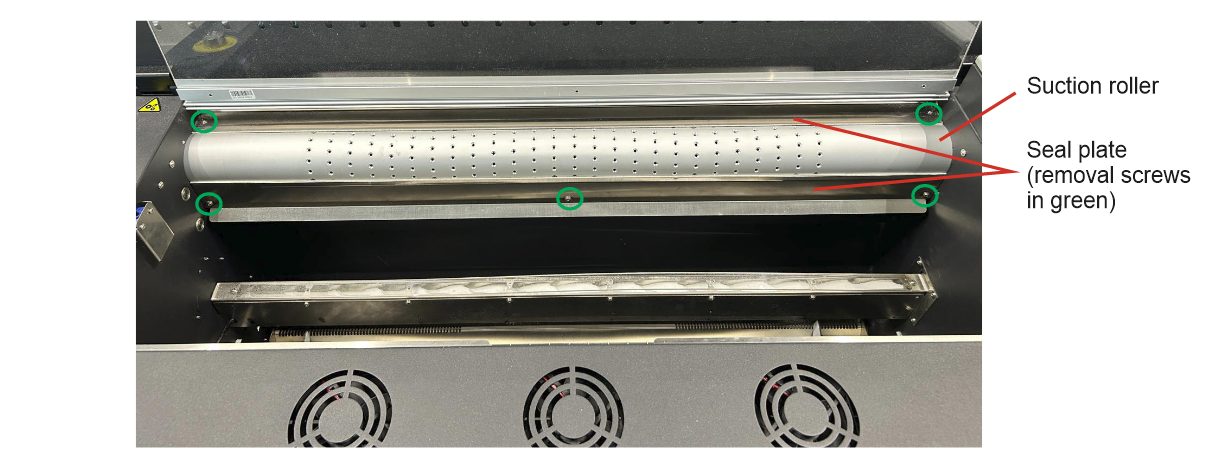
*Image as an example, some models will differ slightly
The fans may not be receiving the correct power.
Check the voltage on the feed to the vacuum fans. For advice please contact your Adkins Dealer or Adkins Support.
8. The tension gravity sensor needs recalibrating
When the tension gravity sensor is triggered, the power to the front vacuum roller is reduced. If the tension gravity sensor is faulty or not calibrated correctly, it could prompt the machine to limit the vacuum at the front roller causing the media to slip.
For help recalibrating your tension gravity sensor, follow the advice in the video below.
For further assistance please contact your Adkins Dealer or Adkins Support.
Was this article helpful?
That’s Great!
Thank you for your feedback
Sorry! We couldn't be helpful
Thank you for your feedback
Feedback sent
We appreciate your effort and will try to fix the article